Monday, November 30, 2015

Plotagon

Plotagon is an excellent app for digital storytelling that reminds me of a cross between Xtranormal and Alice Storytelling.  It's a super easy tool to use that lets students create a digital story by choosing a character and selecting and then typing their script.  Plotagon does the rest.  However, a user can also create their characters from scratch, add sound effects, and more.  Best of all, is the educational portal that allows educators to manage/create student accounts as well as "house" their animations/stories in a safe controlled environment.  Finally, educators are using Plotagon to help teach any subject and curriculum as well as for Project Based Learning and to "flip" their classroom.

I highly recommend checking out Plotagon by clicking here!!!

For my Pinterest board on Digital Storytelling click here.

*Plotagon is an advertiser of Technology Tidbits.

Oncore

Oncore is a free iPad app that acts as a learning management system for teachers.  This simple to use app allows educators to track student behavior as well as assess students in real-time.  The way this works is by uses color-coded data, to help educators visualize student's performance and help assess data.

"By using the seating chart as the classroom interface, Oncore helps teachers collect color-coded, one-touch data on student learning, integrating formative assessment and feedback into their daily practice.

Oncore focuses any K-12 classroom on mastery learning by helping teachers engage all students, check for understanding, create collaborative groups and communicate learning and behavior progress to parents. 

Unique to Oncore is its integration of Common Core and Next Generation Science Standards. Teachers can tie a standard to classroom activities, groups, assignments, or individual participations with students."


I highly recommend checking out Oncore Classroom Productivity app by clicking here!!!

*Oncore is an advertiser of Technology Tidbits.

Projector Screen

ProjectorScreen.com is an excellent site for people or educators to find projectors and other type of equipment for their classrooms.  Not only can a person search through an immense amount of screens, but from other categories such as fixed or manual, multimedia carts, boards, chairs, and more.

I highly recommend checking out ProjectorScreen by clicking here!!!

*ProjectorScreen is an advertiser of Technology Tidbits.

Friday, November 27, 2015

Answerables


*Be sure to check out their latest updates!!!

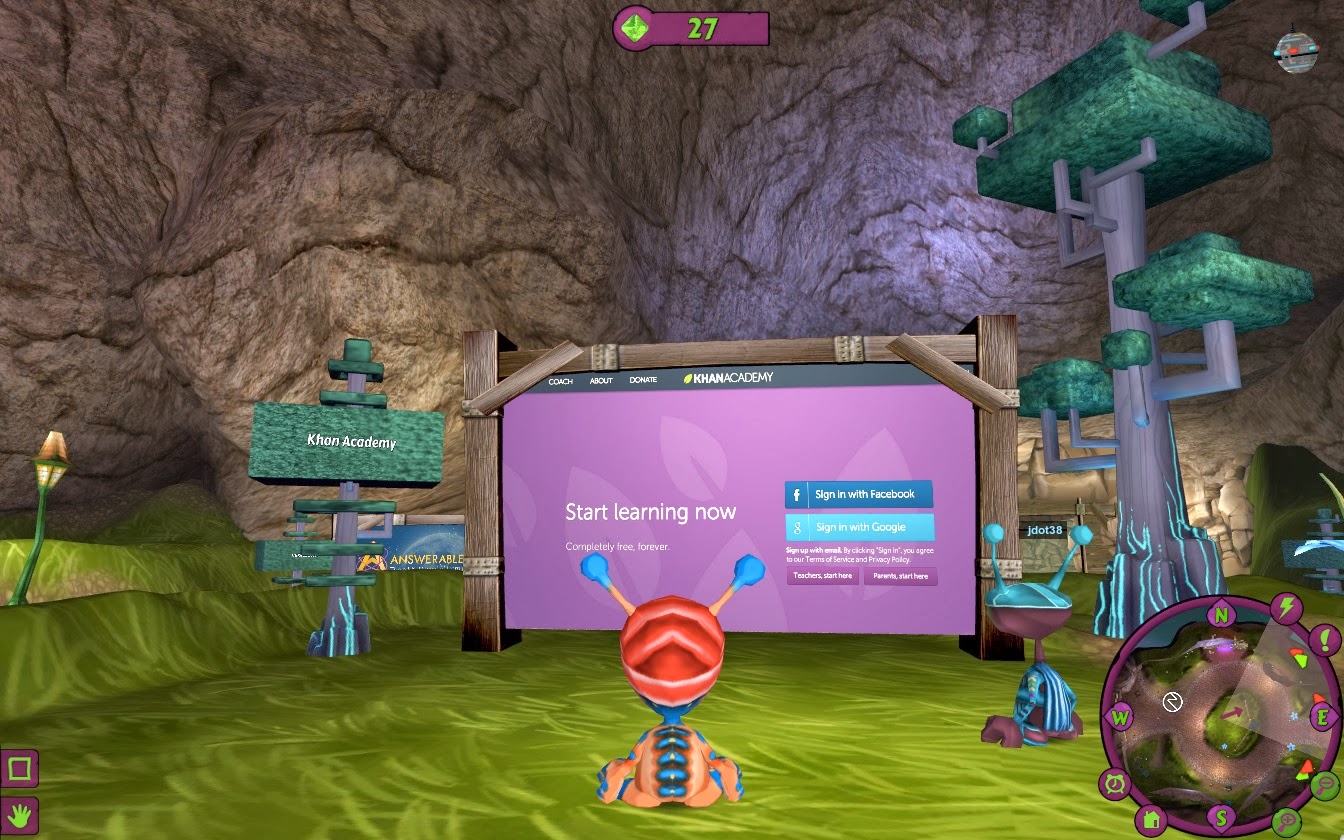
Answerables is a wonderful new innovative site/game that is perfect for Game Based Learning (or more accurate Game Based Learning meets Learning Management System).  It reminds me of Second Life but geared more toward kids w/ their fantasy/SciFi environment.  The game takes place in the 3D virtual world of Answerables on a planet called Proxima, where the native Ansibles (students) encounter an alien race.

What makes this so great for education that is the safe/COPPA compliant environment that Answerables provides.  This is an ideal place for students to collaborate w/ others and develop their social learning skills.  Answerables provides windows (i.e. Second Life) to view the web, go on quests, etc.  The student dashboard allows students to track their quests, notifications, events, PODS (Personal Online Development Spaces), and more.

Educators can create a lesson/POD (manage permissions), create webquests, internet scave
nger hunts, host live events, and best of all "Gamify" their lesson.  This is great for introducing a new concept, guided/differentiated instruction, and even "Flipping" a classroom.  Also, teachers (parents too) can track/monitor student progress, share and view resources by collaborating w/ other educators, and even setup tutoring courses where they set their own rate.

I highly recommend checking out Answerables by clicking here!!!

Below is a brief demo that has to be seen to be believed...


For my Pinterest board on Game Based Learning click here.

*Answerables is an advertiser of Technology Tidbits.
Kidtopia

Kidtopia is a nice educational search  (COPPA/CIPA compliant) for grades K-6th.  This search engine created by librarians uses Google's custom search engine to find educational sites, videos, games, and more.

For more info check out Edshelf.

I highly recommend checking out Kidtopia by clicking here!!!

For my Pinterest board on Search Engines click here.

Buncee for Fall Activities

Buncee is far and away one of my favorite sites/apps for the classroom.  This is an easy to use learning tool that educators are using for a wide variety of purposes such as: digital storytelling, project based learning, flipping a classroom, and much much more.  Also, through their educational portal educators can track and manage student account, assess students projects in real-time, find educational resources, etc.  Recently, Buncee released their Classroom Activities for Fall package which contains lots of templates and lesson plans for teachers looking to use Buncee in their Classroom.

I highly recommend checking out Buncee for Fall Activities by clicking here!!!

*Buncee is an advertiser of Technology Tidbits.

Wednesday, November 25, 2015

AlfaTyping

AlfaTyping is an excellent free site for keyboarding/typing that I just found out about from Free Technology 4 Teachers.  This is a great way for students to learn how to type and for educators to track their progress.  Educators have the option to create a classroom and their lessons or select from a wide variety of them.

I highly recommend checking out AlfaTyping by clicking here!!!

For my Pinterest board on Typing/Keyboarding click here.