Showing posts with label game based learning. Show all posts

Thursday, March 3, 2022

TypeTastic for Game Based Learning


"Game-based learning (GBL) is a type of game play that has defined learning outcomes. Generally, game-based learning is designed to balance subject matter with gameplay and the ability of the player to retain, and apply said subject matter to the real world. (wikipedia)"  Game Based Learning has stood the test of time and been going on since schools have been around.  Lately, it's been getting more and more attention in the media and easier to integrate into the classroom through technology.  Not only is GBL making learning fun, through innovative technology and websites like TypeTastic, kids are easily learning vital real-world skills such as Typing/Keyboarding.

TypeTastic is an excellent K-12 site for students learning how to Type/Keyboard.  TypeTastic's School Edition has an educational portal that allows educators to track, monitor, and assess student progress.  This is a fun and great way to integrate technology into a classroom's curriculum.  TypeTastic uses over 400 innovative games, activities and drills to help teach and reinforce keyboarding/typing skills.

The expanded curriculum introduces students to more than 250 entertaining new keyboarding activities that move from locating letters to fluent typing in four fun steps:
  1. Explore the Keyboard: Unique keyboard visualization splits the letters into nine color-coded groups so students see the keyboard like a map and can quickly find the correct letters. 
  1. All Fingers Aboard: These games are designed to challenge kids to learn the fundamentals of typing. All sections are centered on finger movement, often first separated into either right- or left-hand activities, followed by more challenging games that use both hands.
  1. Ready, Set, Type!: Keyboarding activities take kids on an adventure through underwater coral reefs, thick jungle vegetation, and serene beach vistas to collect words and letters, with the goal of typing simple words and sentences. 
  1. Master Those Keys: In the final step, students dig into the secrets of fluent typing, challenging themselves with more complex words, building up their typing speed, and discovering numbers and symbols.
*TypeTastic was one of Technology & Learning's Top Sites/Apps of 2018 (click here)

Below is a brief demo...


I highly recommend checking out TypeTastic School Edition by clicking here!!!

For more detailed information on Game Based Learning click here.

Mr Rogers - "Play is often talked about as if it were a relief from serious learning. But for children playis serious learning. Play is really the work of childhood."

Thursday, February 24, 2022

Socrates


Socrates is an innovate new site where educators can seamlessly differentiate instruction for each student through a unique game based learning system.  This is done through fun and engaging learning games w/ educational portal where teachers can track and monitor student progress, assign educational videos, use a digital badge system, testing, benchmarking, and much much more.


Below is a brief demo...


I highly recommend checking out Socrates by clicking here!!!

*Socrates is an advertiser of Technology Tidbits.

BookWidgets


BookWidgets is an excellent site for creating educational games/quizzes.  BookWidgets is ideal looking for teachers to save time by having their educational games/quizzes automatically graded.  This is all done in a user-friendly interface and educational portal that allows teachers to: track and monitor students in real-time.  Best of all, BookWidgets makes it easy for educators to assess student learning and differentiate instruction through detailed reports/graphs.

I highly recommend checking out BookWidgets by clicking here!!!

Thanks to Larry Ferlazzo's blog for the tip.

*BookWidgets is an advertiser of Technology Tidbits.

Type to Learn

Type to Learn to is an excellent online Keyboarding program ideal for grades K-12.  Type To Learn easily lets teachers teach integral Typing skills through game based learning.  These games are integrated into 34 lessons that teach the basics from HomeRow to complicated keys such as numbers and other characters.  Best of all, Type to Learn tracks WPM (words per minute) , assessing students in real-time and then differentiates instruction by adjusting the difficulty on how well the student is doing.

I highly recommend checking out Type to Learn by clicking here!!!

Tuesday, January 25, 2022

I Know It


I Know It is a fantastic site for interactive Math lessons grades K-5th.  This is a super fun easy to use site for practice on a wide range of topics, such as: place value, multiplication, counting coins, time, and more.  Best of all, I Know It allows educators to assign lessons and track student progress to make it easy to differentiate instruction.

I highly recommend checking out I Know It by clicking here!!!

Below is a brief demo...


I Know It is an advertiser of Technology Tidbits.

Breshna

 Breshna is a super-fun site for creating free flash-based web browser games.  All a user has to do is create an account and then select the style of game they would like to create.  There are a bunch fo different templates to choose from and Breshna makes it easy to integrate game based learning into the classroom.

I highly recommend checking out Bresha by clicking here!!!

Thanks to Larry Ferlazzo's blog for the tip.

Tuesday, November 30, 2021

SplashLearn


SplashLearn is a wonderful, super easy-to-use, free all-in-one online Math platform for grades K-5.  SplashLearn is an ideal learning tool to use for teachers and parents because of the educational portal.  This portal/dashboard allows educators/parents to create and manage student accounts, track/manage progress, generate detailed reports that can emailed, and even set daily schedules.  Being online, SplashLearn is ideal for Remote/Distance Learning and uses Game Based Learning to help students learn and reinforce their basic Math skills, such as: addition, multiplication, and more.  Also, SplashLearn has lots of different features where students can play or practice a specific skill or follow a "set" learning path where students complete games and levels collecting coins and gaining stars (similar to mobile games) on how well they completed the skill.

Finally, SplashLearn makes it easy for educators to assess students and differentiate instruction.  Students can even use SplashLearn for Self Paced Learn, making it a great way for students to strengthen their Math skills.


I highly recommend checking out SplashLearn by clicking here!!!

*SplashLearn is an advertiser of Technology Tidbits.


Monday, November 29, 2021

NBA Math Hoops

NBA Math Hoops is a super-fun free mobile (iOS/Android) app that helps students strengthen their Math skills while building their fantasy basketball team.  Best of all, Math Hoops uses actual NBA stats that lets students create their "dream" teams then play a game of basketball.  The way this works, right answers
scores points/baskets while wrongs answers become a turn over.   Also, there is a NBA Hoops Skills & Drills which is ideal for students working on their basic Math skills, such as: addition, subtraction, multiplication, and more.

I highly recommend checking out NBA Math Hoops by clicking here!!!

For a more detailed review check out Richard Byrne's excellent blog.

Tuesday, November 16, 2021

TypeTastic


*A great way for students to practice their keyboarding/typing skills while school is doing Remote Learning.

TypeTastic is an excellent K-12 site for students learning how to Type/Keyboard.  TypeTastic's School Edition has an educational portal that allows educators to track, monitor, and assess student progress.  This is a fun and great way to integrate technology into a classroom's curriculum.  TypeTastic uses over 400 innovative games, activities and drills to help teach and reinforce keyboarding/typing skills.

The expanded curriculum introduces students to more than 250 entertaining new keyboarding activities that move from locating letters to fluent typing in four fun steps:
  1. Explore the Keyboard: Unique keyboard visualization splits the letters into nine color-coded groups so students see the keyboard like a map and can quickly find the correct letters. 
  1. All Fingers Aboard: These games are designed to challenge kids to learn the fundamentals of typing. All sections are centered on finger movement, often first separated into either right- or left-hand activities, followed by more challenging games that use both hands.
  1. Ready, Set, Type!: Keyboarding activities take kids on an adventure through underwater coral reefs, thick jungle vegetation, and serene beach vistas to collect words and letters, with the goal of typing simple words and sentences. 
  1. Master Those Keys: In the final step, students dig into the secrets of fluent typing, challenging themselves with more complex words, building up their typing speed, and discovering numbers and symbols.
Below is a brief demo...


I highly recommend checking out TypeTastic!!!

For more information from their blog click here.

Blended Play


Blended Play is an excellent new site that I just found out about from Larry Ferlazzo's blog.  Blended Play brings Game Based Learning to the classroom in a fun and easy way.  All a teacher has to do is select the game (i.e. Mountain Climber, Viking Fleet, Sushi Take Over, Space Sale), add the questions, group the students into teams, and then display/project it on a board.  This is excellent for education as it can be used for any subject/grade level and for blended learning.

I highly recommend checking out Blended Play by clicking here!!!

Wednesday, November 10, 2021

Socrates

Socrates personalized learning for the students so they are progressing automatically, and provides teachers with tools to monitor progress and assign topics.  Teachers can control the learning remotely or just allow Socrates to adjust automatically - making it a perfect tool for teachers with closed classrooms.  

Socrates is an innovate new site where educators can seamlessly differentiate instruction for each student through a unique game based learning system.  This is done through fun and engaging learning games w/ educational portal where teachers can track and monitor student progress, assign educational videos, use a digital badge system, testing, benchmarking, and much much more.


Below is a brief demo...


I highly recommend checking out Socrates by clicking here!!!

*Socrates is an advertiser of Technology Tidbits.

Tuesday, November 2, 2021

I Know It


I Know It is a fantastic site for interactive Math lessons grades K-5th.  This is a super fun easy to use site for practice on a wide range of topics, such as: place value, multiplication, counting coins, time, and more.  Best of all, I Know It allows educators to assign lessons and track student progress to make it easy to differentiate instruction.

I highly recommend checking out I Know It by clicking here!!!

Below is a brief demo...


I Know It is an advertiser of Technology Tidbits.

iCivics


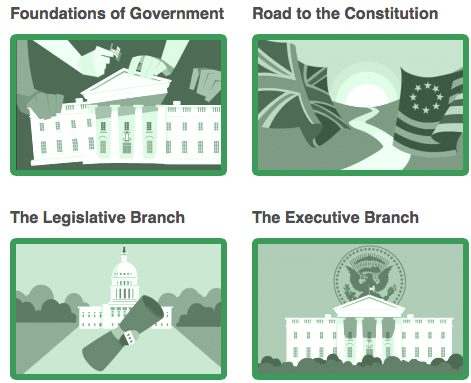
iCivics is a fantastic site for learning about Civics through Game Based Learning.  Best of all, iCivics has an educational portal that allows educators to create and manage student accounts.  Also, teachers can create assignments such as games/webquests and track student performance w/ detailed reports.  Finally, a educator can create a forum or message board to engage students in online discussions and send out class announcements.

Here is a bit more on iCivics features...

  • Lessons: Print-and-go lesson plans make civic learning fun, relevant, and easy. Lessons may include PowerPoints, and ALL are aligned to state standards. 
  •  Webquests: Our webquests help students connect civics concepts to the real world with readings and questions that link to specific web resources. Webquests can be used on individual computers or by the whole class using a projector or a smart board 
  • Games: Expand the learning experience for your students by putting them in the action. Each game is accompanied by a teacher guide with tips for game play, pre– and post-game discussion questions and ideas for additional activities. 
  •  Drafting Board: Guide your students through the process of producing a clear and polished argumentative essay. This blended learning tool brings the skills of writing persuasively together with civic topics that matter to your students. 
I highly recommend checking out iCivics by clicking here!!!

For a more detailed review check out Graphite.

For my Pinterest board on Game Based Learning click here.


Friday, October 29, 2021

Gimkit

Gimkit is an excellent game based learning solution that makes it easy for educators to assess learning and differentiate instruction.  This is done through fun educational games that even students can help create and use for self paced learning.  Best of all, Gimkit generates detailed reports for teachers/students and can even grade assignments in real-time.


I highly recommend checking out Gimkit by clicking here!!!

RoomRecess

RoomRecess is one of my all time favorite sites for finding a wide variety of educational online games.  This is a great place for finding games in subjects such as: Math, Reading, Keyboarding, and more. These games are designed for students K-5 and are easy to play w/ high replay value.  Educators can find lots of useful free games that will help reinforce skills (i.e. Typing, Spelling, Basic Math Skills)


I highly recommend checking out RoomRecess by clicking here!!!

For my Pinterest board on Educational Online Games click here.
For my Edshelf collection on Educational Online Games click here.

Monday, October 25, 2021

Vocab Victor Classroom


Vocab Victor the innovative mobile (iOS/Android) app for building vocabulary words/skills just released a major update for educators, their digital "classroom".  This new update offers lots of features but mainly lets teachers create classrooms where students can join and then customize and create wordlists from their curriculum to include in Vocab Victor's educational games and is WEB BASED!!!

New features...
  • Create schools and classes
  • Invite students to join your classes from inside the Vocab Victor app!
  • Create word lists based on what you think your students most need to learn!
  • Assign the lists to your students!
  • Word list words will appear in Vocab Victor's word learning games automatically! Students will learn words from a combination of matching games, associations, word puzzles, and definition review!
  • Monitor your students' progress so you know which words they've mastered!
  • Encourage friendly competition with our new class leaderboard!

Vocab Victor uses "game based learning" to help students develop their vocabulary through 4 different styles of games through 11 levels.  These games offer high replay as well as different varieties of game play, such as: matching, sorting, targeting, and more.  Best of all, Vocab Victor assesses and adapts words to each student's vocabulary level in real-time and is ideal for ESL/ELL.

Vocab Victor Web app... https://app.vocabvictor.com/

Below is a brief demo...


I highly recommend checking out Vocab Victor by clicking here!!!

Download Vocab Victor for free here!!!

*Vocab Victor is an advertiser of Technology Tidbits.

Tuesday, September 14, 2021

SplashLearn


SplashLearn is a wonderful, super easy-to-use, free all-in-one online Math platform for grades K-5.  SplashLearn is an ideal learning tool to use for teachers and parents because of the educational portal.  This portal/dashboard allows educators/parents to create and manage student accounts, track/manage progress, generate detailed reports that can emailed, and even set daily schedules.  Being online, SplashLearn is ideal for Remote/Distance Learning and uses Game Based Learning to help students learn and reinforce their basic Math skills, such as: addition, multiplication, and more.  Also, SplashLearn has lots of different features where students can play or practice a specific skill or follow a "set" learning path where students complete games and levels collecting coins and gaining stars (similar to mobile games) on how well they completed the skill.

Finally, SplashLearn makes it easy for educators to assess students and differentiate instruction.  Students can even use SplashLearn for Self Paced Learn, making it a great way for students to strengthen their Math skills.


I highly recommend checking out SplashLearn by clicking here!!!

*SplashLearn is an advertiser of Technology Tidbits.


Monday, July 12, 2021

TypeTastic for Game Based Learning


"Game-based learning (GBL) is a type of game play that has defined learning outcomes. Generally, game-based learning is designed to balance subject matter with gameplay and the ability of the player to retain, and apply said subject matter to the real world. (wikipedia)"  Game Based Learning has stood the test of time and been going on since schools have been around.  Lately, it's been getting more and more attention in the media and easier to integrate into the classroom through technology.  Not only is GBL making learning fun, through innovative technology and websites like TypeTastic, kids are easily learning vital real-world skills such as Typing/Keyboarding.

TypeTastic is an excellent K-12 site for students learning how to Type/Keyboard.  TypeTastic's School Edition has an educational portal that allows educators to track, monitor, and assess student progress.  This is a fun and great way to integrate technology into a classroom's curriculum.  TypeTastic uses over 400 innovative games, activities and drills to help teach and reinforce keyboarding/typing skills.

The expanded curriculum introduces students to more than 250 entertaining new keyboarding activities that move from locating letters to fluent typing in four fun steps:
  1. Explore the Keyboard: Unique keyboard visualization splits the letters into nine color-coded groups so students see the keyboard like a map and can quickly find the correct letters. 
  1. All Fingers Aboard: These games are designed to challenge kids to learn the fundamentals of typing. All sections are centered on finger movement, often first separated into either right- or left-hand activities, followed by more challenging games that use both hands.
  1. Ready, Set, Type!: Keyboarding activities take kids on an adventure through underwater coral reefs, thick jungle vegetation, and serene beach vistas to collect words and letters, with the goal of typing simple words and sentences. 
  1. Master Those Keys: In the final step, students dig into the secrets of fluent typing, challenging themselves with more complex words, building up their typing speed, and discovering numbers and symbols.
*TypeTastic was one of Technology & Learning's Top Sites/Apps of 2018 (click here)

Below is a brief demo...


I highly recommend checking out TypeTastic School Edition by clicking here!!!

For more detailed information on Game Based Learning click here.

Mr Rogers - "Play is often talked about as if it were a relief from serious learning. But for children playis serious learning. Play is really the work of childhood."

Tuesday, June 1, 2021

MultiplicationGames

 MultiplicationGames is a wonderful free site for students looking to learn and strengthen their multiplication skills.  This is done through a wide variety of fun educational games (Game Based Learning) such as: multiplication bowling, times table shooting, and more.  Finally, some of these games are multi-player and a great way to integrate "group learning" into a classroom.


I highly recommend checking out MultiplicationGames by clicking here.

Monday, May 3, 2021

Solitaired

Solitaired is a fun educational spin on the classic card game solitaire.  All a user has to do is select the educational deck they'd like to use and that's it.  There are lots of different decks that have pictures as well as educational facts covering topics such as: historical figures, astronauts in space, and more.

For a more detailed review click here.