Thursday, June 29, 2017

Buncee Doodle

Buncee Doodle is the new "game" being used by Buncee users for a variety of educational purposes.  It reminds me of the mobile app Draw Something, where a user creates a drawing/doodle using Buncee and then have another person guess what it is.  This can be done for introducing subjects/concepts, for computer groups, for project based learning, and much much more.

For more information on Buncee Doodle click here!!!

*Buncee is an advertiser of Technology Tidbits.

ToonSpaghetti Story Lab: Classroom Edition

ToonSpaghetti Story Lab: Classroom Edition is a educational iOS app that I just found out about from Class Tech Tips.  ToonSpaghetti is a fantastic app for kids ages 5 and older and ideal for digital storytelling and project based learning.  Also, ToonSpaghetti is aligned to Common Core Standards, lets users solve word games (to build vocabulary), and add music to animations/stories.
Best of all, a user can record their own voice to create dynamic and engaging stories.

I highly recommend checking out ToonSpaghetti by clicking here!!!

30hands

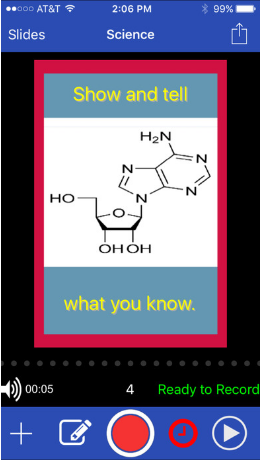
30hands is the excellent and easy-to-use learning tool that educators/students everywhere are using for a wide range purposes, such as: digital storytelling, project based learning, blended learning, and much much more.

I highly recommend checking out 30hands Pro by clicking here or 30hands Web here!!!

30hands has lots of exciting news on the horizon...

After upgrading to Pro, users will have access to existing advanced features and new features in the works:
• Video clips as slides
• Google Drive + Dropbox Integration
• Importing of Google Slides and PDFs as 30hands slides
• Backgrounds and scenes
• Higher quality videos
• Advanced drag-and-drop drawing with editing 
• Slide sharing with parents and students 
• Slide Transitions 
• Unlimited presentations
• Unlimited saves to Camera Roll

Districts that purchase 30hands Pro will get free or discounted professional development (depending on licenses purchased). The PD can be onsite or virtual and selected from our areas of expertise: Digital Storytelling, PBL, Blended Learning, Teaching Coding, and Teaching Entrepreneurship. 

For more info on how your school can participate, email info@30hands.com.
Join our newsletter here: http://30hands.com/newsletter.

*30hands Learning is an advertiser of Technology Tidbits.

Letter Quest EDU

Letter Quest EDU is the new Spelling game from Filament Games.  Letter Quest is a super fun turn-based fighting game where a student spells words to defeat their enemy.  As the game progress the words get harder and this is a great way to build up Spelling/Vocabulary skills.  Best of all, a paid/registered user can track/save student progress.

I highly recommend checking out Letter Quest EDU by clicking here!!!

I Know It

I Know It is the excellent new site from Super Teacher Worksheets for interactive Math lessons grades K-5th.  This is a super fun easy to use site for practice on a wide range of topics, such as: place value, multiplication, counting coins, time, and more.  Best of all, I Know It, allows a user to use a certain number of "hints" to help solve a problem and it gives the correct response w/ reason for the wrong answers.

I highly recommend checking out I Know It by clicking here!!!

*I Know It is an advertiser of Technology Tidbits.

Quiz Game Master

Quiz Game Master is a neat little site I just found out about from Larry Ferlazzo's blog.  This site lets users create their own custom quizzes or use one of their own.  Quizzes can then be shared w/ others or downloaded to save them.  Best of all, are the abundance of different quizzes/games a user can create such as: Racing Quiz, Dragon's Lair, QuizBoard, and much much more.

I highly recommend checking out Quiz Game Master by clicking here!!!

Wednesday, June 28, 2017

Answer Pad

The Answer Pad is an awesome teacher tool that has two powerful functionalities: it is both a student response system with a focus on drawing and "show what you know", and a grading solution for your teacher created quizzes.  It is browser based for teachers, and works on any device (BYOD), browser or on free apps for iOS or Android for students.  It is an ideal tool for engaging students for any grade/subject area, and turning a classroom paperless.

New Features

Interactive 

  • Quick Connect - no student registration required or prep time for teachers (login via a code).
    • quick checks for understanding by just asking questions and sending a response type make it super simple.
    • draw tool can easily be sent out for students to work through a problem etc.
  • Feedback - color and text feedback w/ the unlock so that students can retry their answer.
  • Broadcast - teachers can send out one of the students responses to the entire class.  This is great way for classroom discussion w/ the names hidden.
    • Hide names, send out a multi-step problem.  Students complete the first step and classroom discusses the anonymous responses.  As a group decide which answer is best and broadcast response to entire class.
    • Yes or No, students discuss response and incorrect response can be sent to group to correct.
  • Send a Web Page - Teacher can send a web page, video, etc to students so they can view w/out having to leave the interactive session.
Answer Sheet
  • Essay question and multiple correct multiple choice question types now available.  These work in conduction w/ the built-in scratch pad that allows a teacher to see and give partial credit for work.
  • Live Monitor - watch live as students work through an assessment
More resources

I highly recommend checking out Answer Pad by clicking here!!!!
  

Below is a demo video...


*The Answer Pad is an advertiser of Technology Tidbits.