Sunday, December 28, 2014

Prodigy

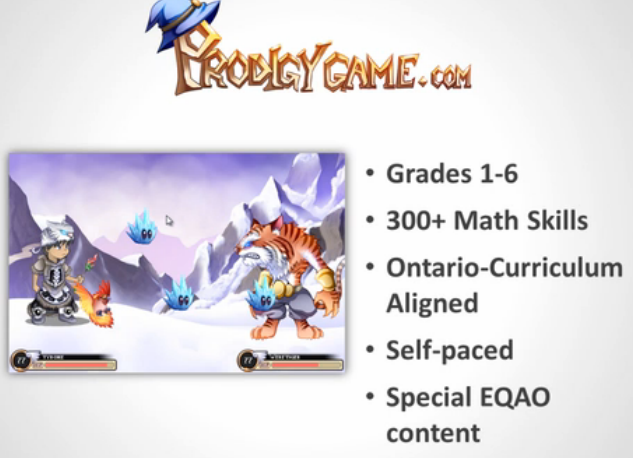
Prodigy is a fantastic free online Math game that is ideal for Game Based Learning.  This super fun highly engaging game designed for grades 1st-6th and is aligned to Common Core Standards.  Best of all is the teacher portal which allows for educators to assess students and get instant real-time reporting.  Prodigy, even has a unique learning engine which allows the game to differentiate instruction and help students w/ areas they are struggling in.  Teachers can modify the game to suit their needs and select which skills their students need to focus on too.  Also, Prodigy is browser based and works on any device (i.e iPad or Chromebook).

I highly recommend checking out Prodigy by clicking here!!!

Below is a brief demo...


For my Pinterest board on Game Based Learning click here.

Teachley

Teachley is a wonderful company w/ educational iOS apps for learning basic Math skills (i.e. Addimal Adventure and Mt. Multiplis).  These simple to use yet highly engaging fun games help students develop their skills while educators can track their progress and assess them in real-time.  All games help students build cognitive skills through Game Based Learning not just drill and practice.

I highly recommend checking out Teachly by clicking here!!!

Below is a brief demo...


*Teachley is an advertiser of Technology Tidbits.

Tuesday, December 23, 2014

Otus

"Otus is an easy-to-use, yet powerful classroom tool that brings the best iPad and Chromebook education features together into one secure environment, and uses a single Google login."  

I must say after reading this tag line I was quite intrigued to give Otus a look and it IS a complete mobile learning environment for schools.  Otus comes in two free iPad apps one for the teacher and one for the student.  Keep in mind when downloading it will state that it is a 17+ app and the reason for that is the built in browser.  However, a educator can monitor browser activity inside of Otus as well as a school should have a filter in place via their district policy (Although, it is widely recommend to view your students/child's browsing habits to make sure that they are not viewing anything inappropriate).  Also, a user (teacher/student) will need a Google account to login.

As w/ most Learning Management Systems (LMS) Otus allows educators to create classes, manage attendance/assignments/grades, poll students, and more.  They can create digital bookshelves to host all kinds of digital media (i.e. books, videos, sites, etc) and assess students in real-time.  The split screen feature allows users to take notes using any feature of Otus as well as taking notes during browsing.

I highly recommend checking out Otus by clicking here!!!

RedCritter

RedCritter is a new teacher management app that educators can do to assign awards, assess student behavior/performance, take attendance, generate reports, and much much more.  Also, this is a nice and safe communication/notification tool to use w/ parents and students.

I highly recommend checking out RedCritter by clicking here!!!

Below is a demo video...

Sphero

Sphero is a programmable toy/robot/sphere that is being used in schools worldwide.  This is a super fun and fantastic learning device that lets students program their Sphero on any mobile device.  There is even a curriculum called SPRK (Schools Parents Robots Kids) that is dedicated to teaching kids Common Core skills aligned to STEM (i.e. Science/Technology/Math).  The Sphero is an easy to use device that can be used to play games, in the water, and in wide array of different ways to integrate into education.

I highly recommend checking out Sphero and how it can be used in education here!!!

Below is a demo video...


For my Pinterest board on Sphero Apps click here.

*Orbotix is an advertiser of Technology Tidbits.

Mickey's Magical Math World

Mickey's Magical Math World is a wonderful free iPad app for teaching basic Math concepts to young learners (PreK-KDG).  The game is divided up into 5 different worlds that focus on different Math concepts, such as: shapes, counting, addition/subtraction, and more.  The games main theme centers around using these concepts to help Mickey build a rocket ship.

I highly recommend checking out Mickey's Magical Math World by clicking here!!!

Friday, December 19, 2014

ProjectWriter

ProjectWriter is the new platform from BoomWriter for group Writing projects.  This is done using the innovative BoomWriter collaborative writing process where students will each write their own story (i.e. paragraph, submission, etc). and then as a group vote on the best one to submit.  Best of all using BoomWriter's educational portal, teachers can manage student accounts and monitor and assess all work that has been submitted.  Also, educators can use ProjectWriter to develop vocabulary skills by including key words and concepts into their assignments (think WordWriter).

Here are some more features of ProjectWriter...

  • include key vocabulary terms-to-know for students to utilize in their Writing
  • boost student engagement and learning
  • easily assess students' understanding of key unit concepts
  • flexibility: as an end-of-unit summary project or use alongside they unit as you teach
  • Common Core Aligned
I highly recommend checking out ProjectWriter by clicking here!!!

*BoomWriter is an advertiser of Technology Tidbits