Showing posts with label differentiated instruction. Show all posts

Thursday, February 6, 2020

30 Sites/Apps for Differentiated Instruction

"Differentiated instruction and assessment (also known as differentiated learning or, in education, simply, differentiation) is a framework or philosophy for effective teaching that involves providing students with different avenues to acquiring content; to processing, constructing, or making sense of ideas; and to developing teaching materials and assessment measures so that all students within a classroom can learn effectively, regardless of differences in ability." Wikipedia  Differentiation, the ability for teachers to meet the needs of a variety of learners, is a key component for successful teaching.  While there are lots of ways this can be done and lots of tools that educators can use to accomplish this, there are many sites that can help facilitate the process.

*This list is in alphabetical order

30 Sites/Apps for Differentiated Instruction

  1. Actively Learn - Lets a user make any reading material "their" own by adding questions, annotation, and collaboration which helps educators differentiate their instruction
  2. Answer Pad - A wonderful student response system and assessment tool that lets teachers turn their classroom paperless.  Also, the "Go Interactive" features allows teachers to collaborate w/ students in real-time and gauge student understanding to differentiate instruction.
  3. Arcademics - One of my favorite sites for game based learning (K-8th grade) in a wide range of subjects.  Also, there is an educational portal that allows teachers to track/monitor students, generate detailed reports, and assess student's learning to make it easy to differentiate instruction.
  4. Badaboom - A easy way for educators to create learning games to assess and differentiate their instruction
  5. BoomWriter - An excellent and unique site that lets students express their creativity by completing follow on chapters of an initial story prompt and then having the class anonymously vote on which ones should be included in the final story. Boomwriter publishes these stories as softcover books and personalizes each one to include each student's final chapter as an alternate ending along with prominently displaying the student's name on the front cover. BoomWriter's other tools let teachers conduct nonfiction and vocabulary-based writing activities, and all of their offerings let teachers provide invaluable personalized feedback and differentiated instruction.
  6. Buncee - A fantastic digital canvas for creating presentations or digital stories that can be embedded into a site/blog.  Also, this is a great way to "flip a classroom" and with Buncee Classroom teachers can assign quizzes, track/monitor students, and differentiate instruction.
  7. Chronicle Cloud - A cutting edge all-in-one iOS app for teachers for taking notes, assessing students, providing feedback, differentiate instruction, and more.
  8. ClassroomQ - An easy-to-use innovative tool that acts as a "digital" hand raising device making it easy to assess student's learning and differentiate instruction in real-time.
  9. edcite - A great site for teachers to create digital assignments, quizzes, and more.  Best of all, edcite can automatically grade student responses in real-time and generate detailed reports allowing educators to differentiate instruction.
  10. Education Galaxy - A new site for grades K-6 that uses Game Based Learning to help students in a wide variety of subject.  Also, Education Galaxy is great for assessing student's needs for easy differentiated instruction, while helping integrate Self Paced Learning.
  11. Edji - A cool new learning tool that lets students interact w/ online texts through highlighting, annotation, comments, and even emojis.  The detailed "heat map" lets educators gauge student understanding and differentiate instruction.
  12. EDpuzzle - Probably, the world's most popular site/app for flipping a classroom or lesson by adding questions to a video and then assessing student's answers to differentiate instruction.
  13. Eduflow - A new learning management system where educators can create course, track students, generate detailed reports, and differentiate instruction.
  14. Edulastic - An innovative online assessment platform that makes it easy for teachers to differentiate instruction.
  15. Floop - An excellent learning tool for teachers to give and collect student feedback through conversation threads making it easy to differentiate instruction.
  16. FUNecole - A great digital learning solution for grades 1st-6th.  Their online platform lets educators create assignments/lessons, differentiate instruction, and seamlessly integrate Computer Science into their curriculum.
  17. Gimkit - A wonderful game based learning solution where students can create the games and educators can assess and differentiate the results.
  18. Hippo Video - An excellent web tool for students/educators to create stunning digital videos.  Teachers use these videos to introduce a subject, create a screencast, and even gauge student understanding to differentiate instruction.
  19. I Know It - A fantastic site for interactive Math practice for grades K-5.  Also, educators can assign lessons, assess students, and differentiate instruction.
  20. IXL - One of the most popular sites around for Math that allows for student tracking w/ detailed reporting.  Also, w/ the ability to track student "trouble" areas a teacher can adjust their teaching (differentiation) to help meet the needs of their students.
  21. Kahoot - One of the most popular tools around to "Gamify" a classroom and differentiate instruction.
  22. Kami - A very handy learning tool that acts as a digital pen/paper letting users annotate on any document.
  23. Kialo Edu - A unique learning tool that provides a platform for educators to gauge student understanding and differentiate instruction.
  24. Loop - A cool new student response system where students can respond to questions via a emoji, word, or by choosing an answer.
  25. Night Zookeeper - A interesting new site where to help student's w/ their Writing skills through interactive lessons and competitions.  The educational portal allows educators to track their students and differentiate instruction.
  26. Otus - A excellent one-to-one learning management solution as well as mobile learning environment where educators easily differentiate instruction w/ Otus's detailed real-time analytics.
  27. Parlay - Parlay is a very innovative online tool that educators are using to take classroom discussions to the next level.  Teachers can use Parlay in a number of different ways such as: browsing through a robust library of discussion prompts (w/ resources), creating a online roundtable, or by creating a "live" verbal roundtable.
  28. Pear Deck - A wonderful educational tool that lets educators create quizzes, slides, or presentations.  Once the "decks" are created students can respond via their mobile devices.  Teachers can the assess student understanding and differentiate instruction in real-time.
  29. Socrates - A great new site where educators can asses students and differentiate instruction through a unique Game Based Learning system.
  30. ThinkFluency - ThinkFluency is an innovative iOS app that lets teachers easily assess        student's Reading fluency and differentiate instruction in real-time.  
Click here for a great article on Differentiated Instruction.

Wednesday, June 28, 2017

Answer Pad

The Answer Pad is an awesome teacher tool that has two powerful functionalities: it is both a student response system with a focus on drawing and "show what you know", and a grading solution for your teacher created quizzes.  It is browser based for teachers, and works on any device (BYOD), browser or on free apps for iOS or Android for students.  It is an ideal tool for engaging students for any grade/subject area, and turning a classroom paperless.

New Features

Interactive 

  • Quick Connect - no student registration required or prep time for teachers (login via a code).
    • quick checks for understanding by just asking questions and sending a response type make it super simple.
    • draw tool can easily be sent out for students to work through a problem etc.
  • Feedback - color and text feedback w/ the unlock so that students can retry their answer.
  • Broadcast - teachers can send out one of the students responses to the entire class.  This is great way for classroom discussion w/ the names hidden.
    • Hide names, send out a multi-step problem.  Students complete the first step and classroom discusses the anonymous responses.  As a group decide which answer is best and broadcast response to entire class.
    • Yes or No, students discuss response and incorrect response can be sent to group to correct.
  • Send a Web Page - Teacher can send a web page, video, etc to students so they can view w/out having to leave the interactive session.
Answer Sheet
  • Essay question and multiple correct multiple choice question types now available.  These work in conduction w/ the built-in scratch pad that allows a teacher to see and give partial credit for work.
  • Live Monitor - watch live as students work through an assessment
More resources

I highly recommend checking out Answer Pad by clicking here!!!!
  

Below is a demo video...


*The Answer Pad is an advertiser of Technology Tidbits.

Thursday, January 19, 2017

Pear Deck

Pear Deck is a cool educational tool that interacts w/ Google Chrome (extensions) or Google Drive to create interactive quizzes/slides/presentations.  The way this works is an educator creates a dynamic deck/slide w/ or w/out multiple choice questions, then has students join the sessions via their Google in Education domain or Chrome extension.  Then the teacher can ask questions and have students respond to them on their own devices.  This is ideal for Differentiating Instruction and assessing students in real-time.

I highly recommend checking out Pear Deck by clicking here!!!

For my Pinterest board on Differentiated Instruction click here.

Wednesday, June 8, 2016

Quizalize

Quizalize is a fantastic learning tool for educators to create game based learning quizzes.  What separates Quizalize apart from similar sites is the detailed reports generated as well as how easy it is to differentiate instruction and see how each student or class is doing on any given topic.

Also, Quizalize features a new dashboard integrating Zzish, which allows teachers to track student progress in real-time, while generating detailed reports and seeing exactly which questions were answered correct and which ones were answered wrong w/ their "given" response.  This innovative dashboard makes it easy for educators to integrate Quizalize into their classroom and can be used for any curriculum or subject.

Finally, Quizalize allows for teachers to create "team" games where a classroom can be divided in half and students can answer questions anonymously while not having to worry about being embarrassed getting wrong answer.  This is a great way to engage students and introduce game based learning as well.

I highly recommend checking out Quizalize by clicking here!!!

*Quizalize is an advertiser of Technology Tidbits.

Wednesday, March 9, 2016

FreshGrade

FreshGrade is a wonderful new tool for educators looking to create digital portfolios of their students work.  The way this works is through an easy to use mobile app (i.e. parents, students, and teachers) that allows teachers to capture student work through, video, audio, photos, text (notes), etc.  Also, FreshGrade easily allows educators to share student's work through a tap of a button, to either the student or parent.  Finally, using the web app a user can use FreshGrade to assign activities, assess them in real-time, and even differentiate instruction.

Below is a demo video...


I highly recommend checking out FreshGrade by clicking here!!!

*FreshGrade is an advertiser of Technology Tidbits.

Tuesday, February 9, 2016

Brainscape

Brainscape is an excellent free iOS app/site for flashcards.  Brainscape's innovative "smart" flashcards works in timed intervals that a user rates on a scale of 1 to 5.  Brainscape then used an adaptive learning algorithm to differentiate instruction and display the flashcards that need more focus on.  This is a great way to learn difficult subjects and break down difficult concepts.

Below is a brief demo video...


I highly recommend checking out Brainscape by clicking here!!!

Wednesday, January 6, 2016

Weo

Weo is an excellent new site for mobile learning that reminds me a tad of Pinterest.  The way this works is educators create a class and then can manually add students or have them join via a unique "class code" (i.e. ClassDojo), making it ideal for CIPA/COPPA compliance.  Once the class is created then educators can then search for assignments and "pin" them to a board similar to the way Pinterest works.  Also, they can create their own assignments if they are not finding the ones they want and assign them to a class.  Finally, students can then complete their assignments online and educators can get results in assess them in real-time to help differentiate instruction.

I highly recommend Weo by clicking here!!!

Below is a demo video...

Tuesday, August 25, 2015

Monster Math

Monster Math is an excellent iOS app/game for learning basic Math skills (i.e. addition, multiplication, etc.).  This is done through an engaging and fun game, as a student helps Maxx solve Math problems to find his friend Dextra.  Best of all, is the detailed reporting that allows
parents/teachers to track student's progress.  Also, Monster Math adjusts skill level based on a user's performance and differentiates instruction accordingly (ideal for self paced learning).  Finally, Monster Math has lots of replay value as there are lots of levels and worlds to explore, and is aligned to Common Core Standards.

I highly recommend checking out Monster Math by clicking here!!!
For a more detailed review check out Edshelf.

Below is a brief demo...

 Monster Math - Trailer from Roopesh Shenoy on Vimeo.

For my Pinterest board on Educational iOS Apps click here.

For another detailed review check out iLearn Technology's blog.

*Monster Math is an advertiser of Technology Tidbits.

Tuesday, August 18, 2015

Brainscape

Brainscape is an excellent free iOS app/site for flashcards.  Brainscape's innovative "smart" flashcards works in timed intervals that a user rates on a scale of 1 to 5.  Brainscape then used an adaptive learning algorithm to differentiate instruction and display the flashcards that need more focus on.  This is a great way to learn difficult subjects and break down difficult concepts.

Below is a brief demo video...


I highly recommend checking out Brainscape by clicking here!!!

Tuesday, June 30, 2015

Answerables

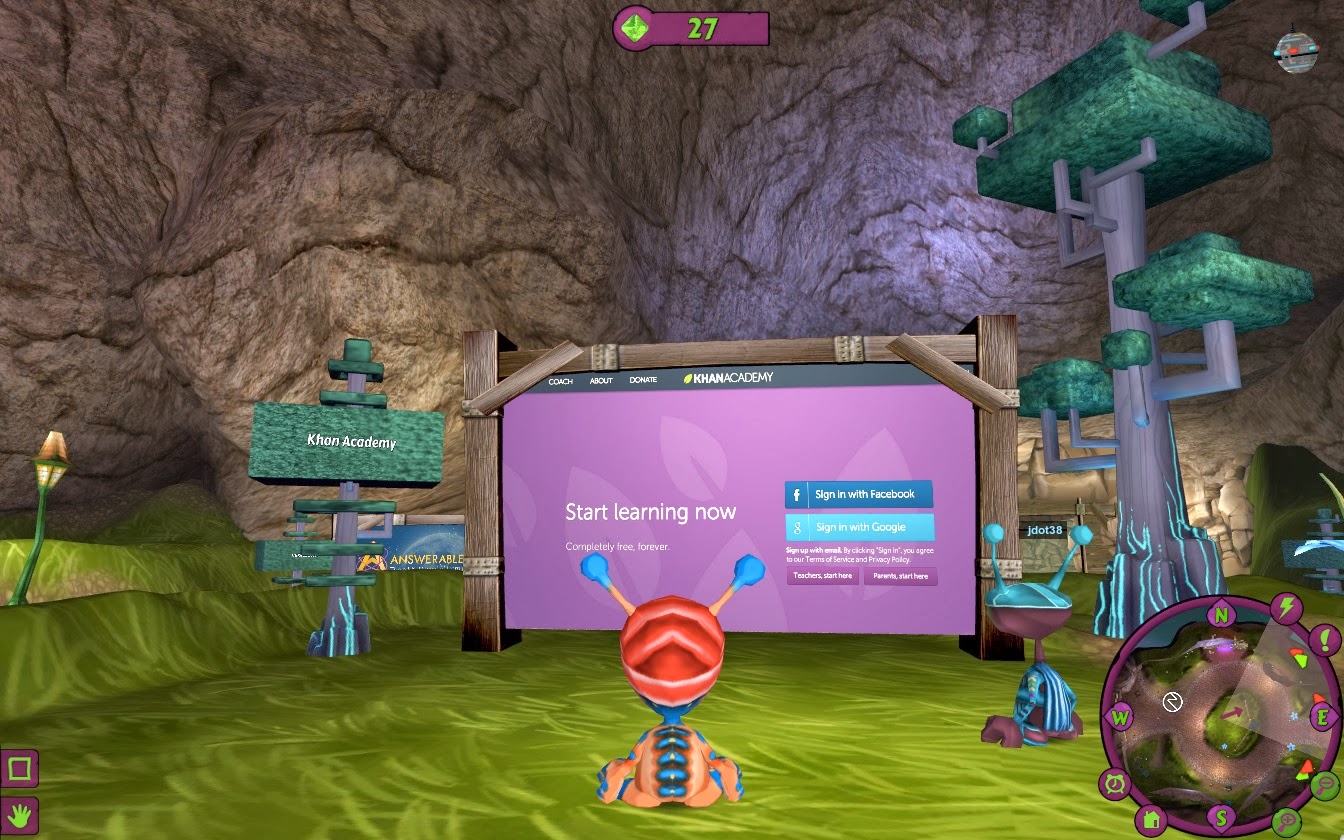
Answerables is a wonderful new innovative site/game that is perfect for Game Based Learning (or more accurate Game Based Learning meets Learning Management System).  It reminds me of Second Life but geared more toward kids w/ their fantasy/SciFi environment.  The game takes place in the 3D virtual world of Answerables on a planet called Proxima, where the native Ansibles (students) encounter an alien race.

What makes this so great for education that is the safe/COPPA compliant environment that Answerables provides.  This is an ideal place for students to collaborate w/ others and develop their social learning skills.  Answerables provides windows (i.e. Second Life) to view the web, go on quests, etc.  The student dashboard allows students to track their quests, notifications, events, PODS (Personal Online Development Spaces), and more.

Educators can create a lesson/POD (manage permissions), create webquests, internet scave
nger hunts, host live events, and best of all "Gamify" their lesson.  This is great for introducing a new concept, guided/differentiated instruction, and even "Flipping" a classroom.  Also, teachers (parents too) can track/monitor student progress, share and view resources by collaborating w/ other educators, and even setup tutoring courses where they set their own rate.

I highly recommend checking out Answerables by clicking here!!!

Below is a brief demo that has to be seen to be believed...


For my Pinterest board on Game Based Learning click here.

*Answerables is an advertiser of Technology Tidbits.

Friday, May 29, 2015

Monster Math

Monster Math is an excellent iOS app/game for learning basic Math skills (i.e. addition, multiplication, etc.).  This is done through an engaging and fun game, as a student helps Maxx solve Math problems to find his friend Dextra.  Best of all, is the detailed reporting that allows
parents/teachers to track student's progress.  Also, Monster Math adjusts skill level based on a user's performance and differentiates instruction accordingly (ideal for self paced learning).  Finally, Monster Math has lots of replay value as there are lots of levels and worlds to explore, and is aligned to Common Core Standards.

I highly recommend checking out Monster Math by clicking here!!!
For a more detailed review check out Edshelf.

Below is a brief demo...

 Monster Math - Trailer from Roopesh Shenoy on Vimeo.

For my Pinterest board on Educational iOS Apps click here.

For another detailed review check out iLearn Technology's blog.

*Monster Math is an advertiser of Technology Tidbits.

Tuesday, April 14, 2015

mySkillBoard

mySkillBoard is a nice new site for differentiating instruction.  The way this is done is by an educator inputing student data into mySkillBoard and then being able to assess students through different visualizations.  Also, an educator can align student skills to Common Core Standards and even use it on any mobile device.

I highly recommend checking out mySkillBoard by clicking here!!!

For my Pinterest board on Differentiating Instruction click here.

Friday, September 26, 2014

Brainscape

Brainscape is an excellent free iOS app for studying any topic based on mobile flashcards.  This "smart" flashcards get rated by the user and based on those ratings will differentiate instruction to help the student learn.  Best of all, a user can either browse through and purchase decks of flashcards or create their own and even share their cards w/ others.  This is great for collaborating, study groups, and for educators looking to create classroom flashcards for their students.

I highly recommend checking out Brainscape by clicking here!!!

For a more detailed review check out Graphite.
For more info check out Edshelf.

Tuesday, September 16, 2014

Prodigy

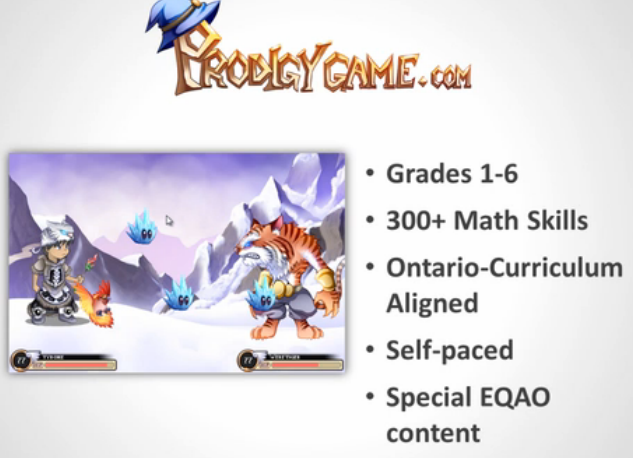
Prodigy is a fantastic free online Math game that is ideal for Game Based Learning.  This super fun highly engaging game designed for grades 1st-6th and is aligned to Common Core Standards.  Best of all is the teacher portal which allows for educators to assess students and get instant real-time reporting.  Prodigy, even has a unique learning engine which allows the game to differentiate instruction and help students w/ areas they are struggling in.  Teachers can modify the game to suit their needs and select which skills their students need to focus on too.  Also, Prodigy is browser based and works on any device (i.e iPad or Chromebook).

I highly recommend checking out Prodigy by clicking here!!!

Below is a brief demo...


For my Pinterest board on Game Based Learning click here.

Thursday, August 7, 2014

ClassMind

ClassMind is a nice learning tool that reminds me a lot of Geddit in that it lets educators assess students in real-time using their mobile devices.  The way this works is an educator asks a question and then students respond on their mobile device while answers are recorded in real-time.  This is a great way to track students learning as well as differentiate instruction.  Best of all, this can be used in any size class for any subject and easy to integrate into the curriculum.

I highly recommend checking out ClassMind by clicking here!!!

For my Pinterest board on Differentiating Instruction click here.

Tuesday, July 29, 2014

GoClass

GoClass is a fantastic learning tool for the mobile classroom.  This is a free site/web app that allows educators to conduct lessons on student's mobile devices (iOS/Android), track their learning and progress, and so much more.  The way this works is an educator creates an account through the GoClass web portal and then starts creating their multimedia digital lessons that get shared w/ students when they join a session.  Best of all, GoClass records all lessons that are being conducted and educators can assess students in real-time to differentiate instruction as well share an interactive whiteboard for learning.

I highly recommend checking out GoClass by clicking here!!!

*GoClass is an advertiser of Technology Tidbits.

Monday, June 23, 2014

GoClass

GoClass is a excellent free all-in-one solution for Mobile Learning or the mobile (1:1) classroom.  This is an innovative way to integrate technology into the classroom by using their free app on their mobile devices.  The way this works is the educator creates their class/students through the web interface and then creates the lesson.  The students then use their mobile devices to complete the assignment and interact w/ the teacher/lesson.  Best of all the teacher can view and assess in real-time what each student is doing on their mobile device.  This is a great way to flip a class and differentiate instruction.

I highly recommend checking out GoClass by clicking here!!!

Below is a brief demo video...


If you're attending ISTE be sure to check out GoClass here.

*GoClass is an advertiser of Technology Tidbits.


Wednesday, June 18, 2014

Teachley: Mt. Multiplis

Teachley: Mt. Multiplis is a fun new free iPad app that helps students w/ their basic multiplication skills.  The reason I really love this game is that it takes a different approach to learning Math by avoiding drill a practice and focus on computational thinking as players build bridges w/ their multiplication skills.  This is great for Game Based Learning as well as Differentiating Instruction, and has high replay value for students.  Also, Teachly is aligned to Common Core Standards.

I highly recommend checking out Teachley: Mt. Multiplis by clicking here!!!

For my Pinterest board on Educational iOS Apps click here.

Monday, May 26, 2014

Flipgrid

Flipgrid is a new site/community/app that reminds me of a more "adult" version of Voicethread.  This is a nice site/community and iPad app that allows educators to record a video (asking a question) called a grid and then have students respond via their own video.  Educators can then view through their admin page which videos have been viewed, questions answered, etc.

Best of all Flipgrid has an educational portal where students don't need an email address or account to access teacher's grids, as well as many privacy options for educators to control.  Finally, a Flipgrid can be embedded into a site and easily integrated into any LMS (Learning Management System).

I highly recommend checking out Flipgrid by clicking here.

For the free iPad app click here.

Monday, May 19, 2014

Fishtree

Fishtree is an innovative new digital adaptive learning platform that allows educators to curate and create lessons for their students.  These lessons contain all sorts of dynamic media as well as being aligned to Common Core Standards.  Also, Fishtree combines the best features of a LMS (learning management system) that allows teachers to assess students in real-time, grade, message, and more, which makes it a perfect solution for differentiating instruction.

I highly recommend checking out Fishtree by clicking here!!!

Below is a brief demo...


For my Pinterest board on Differentiating Instruction click here.